Case study
Homepage trust signals case study: revenue per visitor up 57.9% on desktop in 12 days
This homepage trust signals case study shows what happened when an online store added one short strip to its homepage: its shipping offer, its review count and a secure checkout line. Convertica A/B tested the strip against the original homepage on desktop and mobile for 12 days.
Homepage trust signals case study at a glance
| Client | An online store (name not published) |
|---|---|
| Vertical | eCommerce |
| Goal | More completed orders and more revenue per visitor |
| Page tested | The homepage |
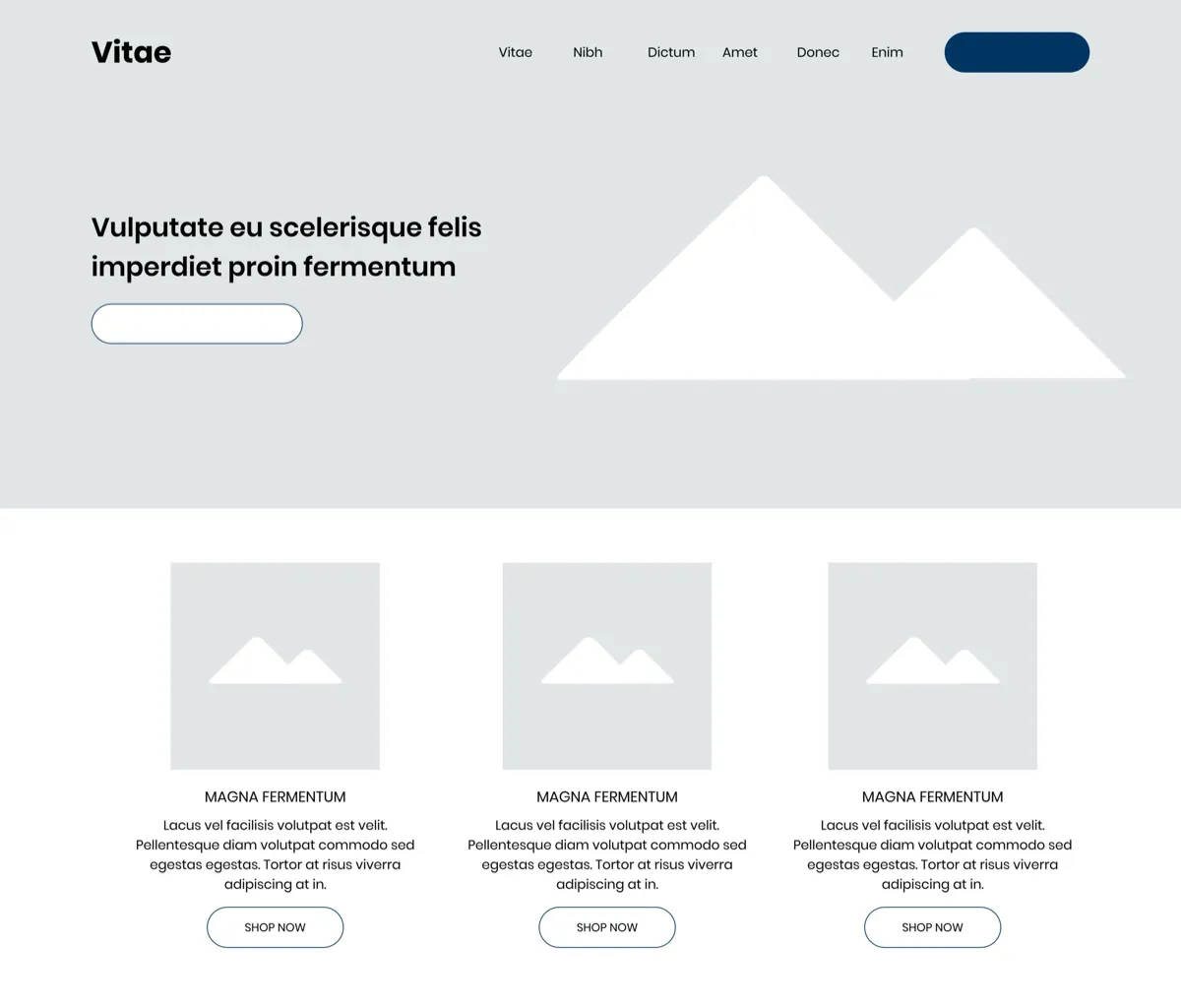
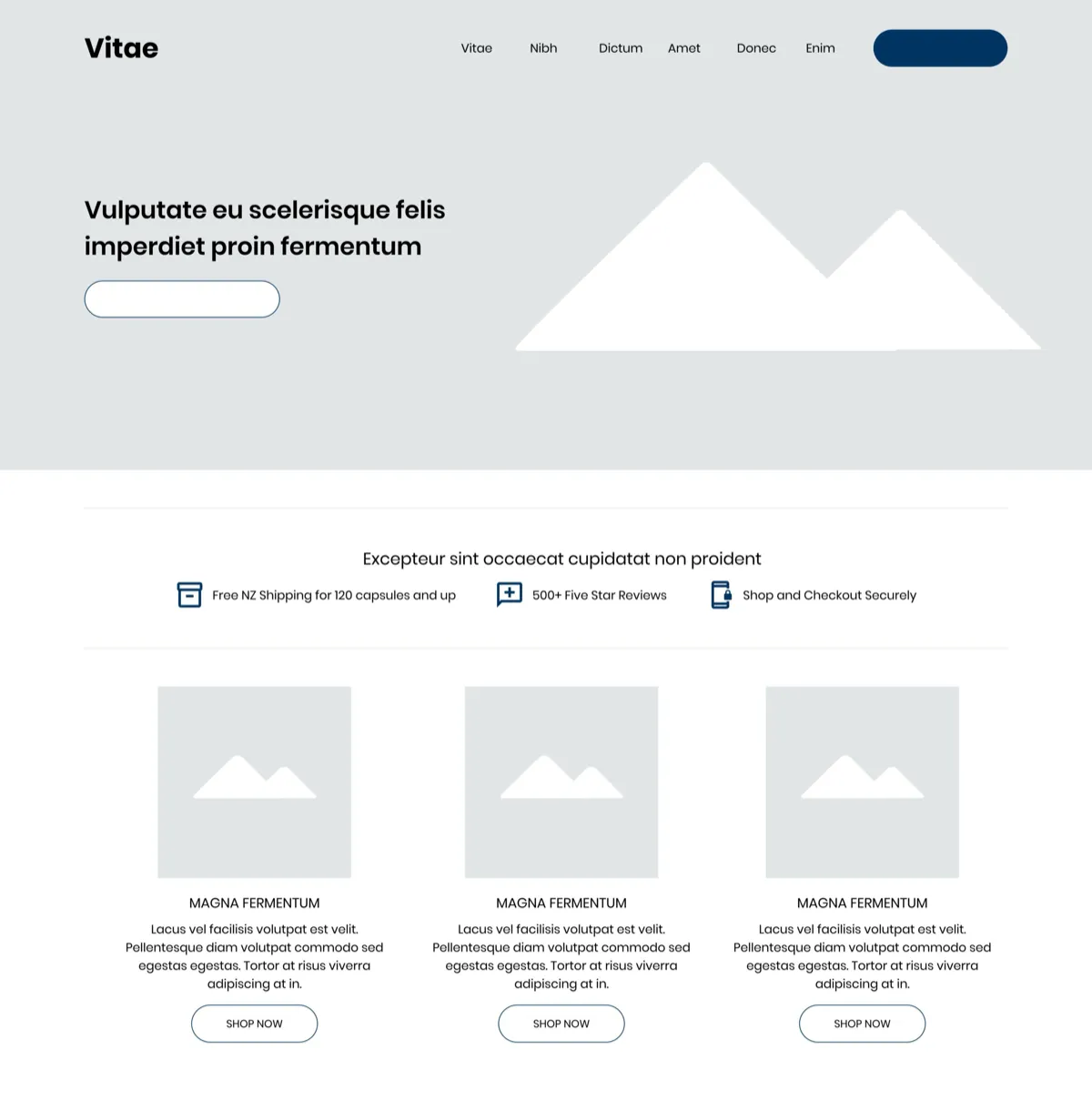
| Change tested | A strip under the hero naming the shipping offer, the review count and secure checkout |
| Test | A/B test on desktop and mobile, 12 days |
| Confidence reached | Desktop 93%, mobile 97% |
+57.9%
Revenue per visitor, desktop, 12-day A/B test
Source: Online store, homepage A/B test, desktop, 93% confidence (below the usual 95%)
What was the homepage missing?
The store's homepage said nothing about the three questions online shoppers ask before they spend: what will shipping cost, do other buyers rate this store, and is my payment safe? In the original version, the control, the page went straight from the hero banner to a row of product tiles. A visitor had to find those answers later, or leave to look for them.
Each of those questions is a reason to hesitate. Shipping costs are a common surprise at checkout. Reviews tell a first-time visitor that other people bought and were happy. A secure checkout message tells them their card and personal details will be handled safely. None of it was visible where most visitors land first.
What are homepage trust signals?
Homepage trust signals are short, specific facts on a store's homepage that answer a shopper's doubts before they browse: the shipping offer, proof from other buyers, and a promise that payment is secure. They work best stated plainly, near the top of the page, where a visitor sees them before deciding where to click next.
What was the hypothesis?
The hypothesis was that showing shipping, reviews and security information on the homepage would raise the order completion rate and revenue per visitor. If visitors knew from the first screen what the shipping offer was, that other buyers had left five star reviews, and that checkout was secure, more of them would keep moving toward a purchase.
The test was built to answer one question: does stating these facts early change what visitors do, or do they only matter once a visitor reaches the cart?
What changed on the homepage?
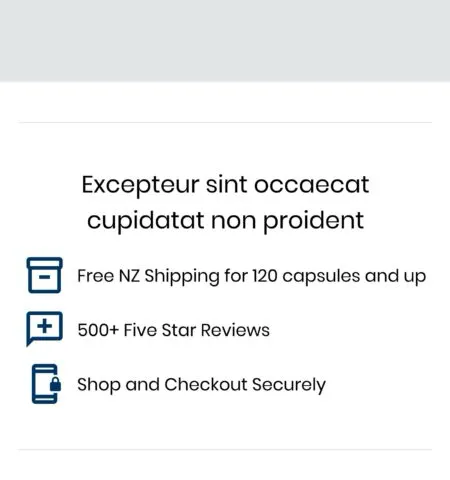
The test version kept the homepage as it was and added one band directly under the hero banner, above the first product tiles. The band held a short heading and three items, each with a simple icon:
- Shipping. The free shipping offer and the order size it applied to.
- Reviews. The number of five star reviews the store had collected.
- Security. A line saying visitors could shop and check out securely.
On desktop the three items sat side by side in one row. On mobile they stacked, one above the other, in the same place under the hero.

How was the test run?
The homepage trust signals test was an A/B test of the original homepage against the version with the trust strip, run on desktop and mobile for 12 days. Results were read separately for each device, on two measures: the rate of order completion and revenue per visitor. Convertica also tracked each step of the funnel from the homepage to a completed purchase.
| Test type | A/B test, control vs test version |
|---|---|
| Devices | Desktop and mobile, reported separately |
| Duration | 12 days |
| Main measures | Order completion rate and revenue per visitor |
| Funnel steps tracked | Collection pages, product pages, cart, checkout, completed purchase |
| Confidence reached | Desktop 93%, mobile 97% |
| Traffic split and sample size | Not published in the original case study |
What were the results?
The trust strip won on both devices. Revenue per visitor rose 57.9% on desktop and 40.9% on mobile, and the order completion rate rose on both. The mobile result reached 97% confidence. The desktop result reached 93%, close to but below the usual 95% standard for statistical significance.
+57.9%
Revenue per visitor, desktop, 12-day A/B test
Source: Online store, homepage A/B test, desktop, 93% confidence (below the usual 95%)
+68.9%
Order completion rate, mobile, 12-day A/B test
Source: Online store, homepage A/B test, mobile, 97% confidence
+40.9%
Revenue per visitor, mobile, 12-day A/B test
Source: Online store, homepage A/B test, mobile, 97% confidence
| Device | Order completion rate | Revenue per visitor | Confidence |
|---|---|---|---|
| Desktop | +51.6% | +57.9% | 93% |
| Mobile | +68.9% | +40.9% | 97% |
The gain showed up at every step of the funnel, not only at the end. More visitors went on to collection pages, on to product pages, on to the cart, on to checkout, and on to complete a purchase. The original case study does not publish the figures for each step.
Should you act on a result at 93% confidence?
A result at 93% confidence is a strong signal, not proof. The usual standard is 95%, so the desktop lift carries a somewhat higher chance of being overstated than the mobile one. Convertica recommended rolling the strip out on mobile, where the result was significant, and advised rolling it out on desktop too.
That call made sense here for three reasons. The change was small and easy to reverse. Desktop moved in the same direction as mobile, which did reach significance. And every funnel step improved, not just one number. When a change is cheap, low risk and consistent across devices, waiting for a few more points of confidence can cost more than it protects. When a change is expensive or hard to undo, keep the test running.
To check a result of your own, use the statistical significance calculator. To plan a test that reaches significance on each device, the A/B test sample size calculator shows how much traffic you need.
Why did it work?
The trust strip most likely worked because it answered doubts at the point where visitors decide whether to explore the store at all. A visitor who already knows the shipping offer, that other buyers rated the store highly, and that checkout is secure has fewer reasons to stop on the way to the cart. Because the lift appeared at every funnel step, the effect seems to have carried from the homepage all the way through.
The test cannot say which of the three items did the most work, because all three were added at once. A follow-up test could show each one alone.
How do you add trust signals to your homepage?
You can apply this test to any store homepage in six steps: find the doubts your buyers have, state the facts that answer them in one short strip near the top of the page, and test it against your current homepage on desktop and mobile separately. For the rest of the homepage, see the guide to ecommerce homepage UX.
- List your buyers' doubts. Shipping cost, returns, product quality and payment safety are the usual ones. Your support inbox and reviews will tell you which matter most.
- Answer each with a specific fact. "Free shipping on orders over a set amount" beats "fast shipping". A real review count beats "loved by customers".
- Keep it to three items. One short line each, with a simple icon. The strip should be read in a glance.
- Put it under the hero. That is where this test placed it, before the first products, where most visitors will see it.
- Check that every claim is true. A review count, a shipping threshold or a security promise must match what happens at checkout.
- Test it, and read each device on its own. Here both devices won, but the mobile and desktop results differed. Other tests in this series won on one device only.
One check did not exist when this test ran: can an AI shopping agent find the same facts? An agent comparing stores may never see a strip of icons. If your shipping terms, returns and review data exist only as images or design elements, state them in plain text on the page as well. Agent readiness is one of the eight checks in Convertica's free CRO audit.
For another trust test further down the funnel, read the policy visibility case study, which put shipping and refund policies on the cart page. The reviews section case study moved product reviews higher on the product page. For the badges themselves, see the guide to trust badges.
Homepage trust signals case study FAQ
What did the homepage trust signals case study test?
It tested a trust strip on an online store's homepage. The variant added a short band under the hero that named the free shipping offer, the number of five star reviews and a secure checkout line. The original homepage, which went straight from the hero to product tiles, was the control.
How much did revenue per visitor increase?
On desktop, revenue per visitor rose 57.9% and the order completion rate rose 51.6%, at a 93% confidence level. On mobile, revenue per visitor rose 40.9% and the order completion rate rose 68.9%, at a 97% confidence level. The test ran for 12 days.
Was the desktop result statistically significant?
Not by the usual 95% standard. The desktop result reached 93% confidence, which the original case study called close to statistical significance. The mobile result reached 97%. Convertica recommended rolling the change out on mobile, and advised rolling it out on desktop too, accepting a somewhat higher chance that the desktop lift was overstated.
What are homepage trust signals?
Homepage trust signals are the facts on a store's homepage that answer a shopper's doubts before they browse: what shipping costs, what other buyers think, and whether payment is safe. In this test they were a free shipping offer, a review count and a secure checkout message, shown together in one strip.
Where should trust signals go on a homepage?
Close to the top, where most visitors will see them. In this test the strip sat directly under the hero banner and above the first product tiles, so a visitor met it before choosing where to go next. Test the position on your own store, on desktop and mobile separately.
Did the trust strip help at every step of the funnel?
Yes. The original case study reports more users moving at every step: on to collection pages, on to product pages, on to the cart, on to checkout, and completing a purchase. It does not publish the step-by-step figures, so this page does not show them.
Can Convertica run this kind of test on my store?
Convertica starts with the free CRO audit, an app that checks your page for people and for AI agents while you watch. After it, if you want the fixes built for you, the one page rebuild covers one page and the full site rebuild covers your whole site: Convertica's team builds every fix the audit found.
