AI visibility
FAQ schema generator
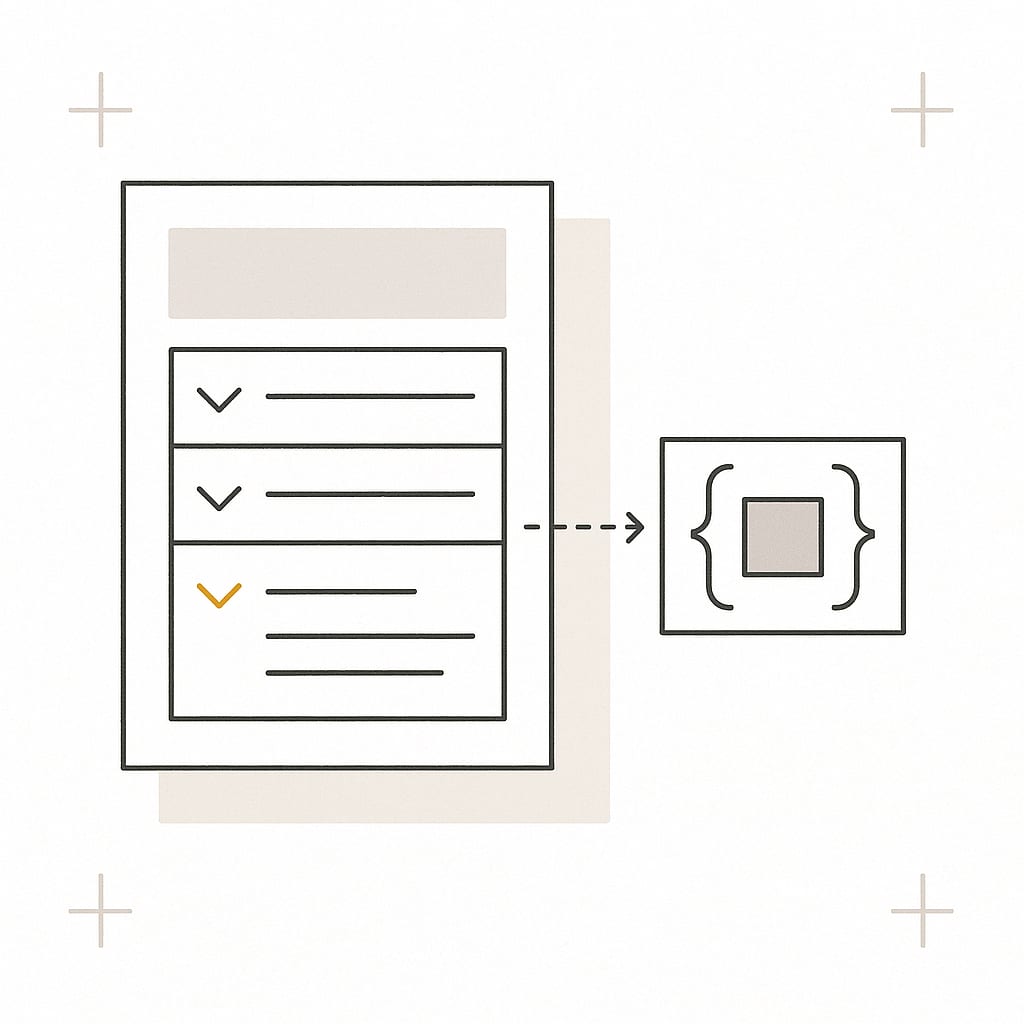
Turn your questions and answers into FAQPage JSON-LD to paste into a page. Add, remove and reorder the pairs, or paste a whole list and split it. Nothing you type leaves your browser.
Ready to paste
FAQPage JSON-LD built from your questions and answers.
Edit in bulk
Add, remove and reorder pairs, or paste a whole list and split it.
Private
It runs in your browser. Nothing you type leaves the page.
Past clients or mentioned on
FAQ schema generator: build your markup
Free to use, no sign-up. The form starts with an illustrative example from a made-up store. Replace it with the questions and answers your page shows, and the markup updates as you type. Nothing you enter leaves your browser.
FAQPage markup
3 questions
All 3 pairs are in the markup.
954 characters. Answers are plain text.
<script type="application/ld+json">
{
  "@context": "https://schema.org",
  "@type": "FAQPage",
  "mainEntity": [
    {
      "@type": "Question",
      "name": "How long does delivery take?",
      "acceptedAnswer": {
        "@type": "Answer",
        "text": "Orders placed before 2 pm on a working day leave the warehouse the same day. Delivery then takes 2 to 4 working days."
      }
    },
    {
      "@type": "Question",
      "name": "Can I return a bike?",
      "acceptedAnswer": {
        "@type": "Answer",
        "text": "Yes. You can return an unused bike within 30 days for a full refund. Email us first and we will arrange the collection."
      }
    },
    {
      "@type": "Question",
      "name": "Do the bikes arrive assembled?",
      "acceptedAnswer": {
        "@type": "Answer",
        "text": "Mostly. You fit the pedals, the front wheel and the handlebars. The tools you need are in the box."
      }
    }
  ]
}
</script>
The format
<script type="application/ld+json">
{
  "@context": "https://schema.org",
  "@type": "FAQPage",
  "mainEntity": [
    {
      "@type": "Question",
      "name": "The question, as the page shows it",
      "acceptedAnswer": {
        "@type": "Answer",
        "text": "The answer, as the page shows it"
      }
    }
  ]
}
</script>
One Question item per pair, in the order of the form. Source: schema.org/FAQPage.
How to use the FAQ schema generator
To use the FAQ schema generator, type each question and its answer exactly as your page shows them, put the pairs in the page's order, and copy the markup. Then paste it into the HTML of the same page and check that the two still match. The markup rebuilds as you type.
- Start from the visible FAQ. Copy the questions and answers from the page itself. The markup describes what a visitor can read. It is not a place for extra questions.
- Enter the pairs. Type them one at a time, or open "Paste a list of questions and answers", paste them all and press "Split into pairs".
- Put them in order. Use Up and Down so that the list follows the page, and Remove for a pair you do not need.
- Read the notes under the fields. A pair with an empty question, an empty answer or a repeated question is left out of the markup until you fix it. Notes about removed HTML or a long answer do not block anything.
- Choose how answers are written. Plain text suits most pages. Keep basic HTML if your answers hold links or lists that you want in the markup.
- Copy the markup and paste it into the page, in the head or the body. Choose JSON only if your CMS adds the script tag.
- Check it. Run the published page through the Schema Markup Validator, then read the markup against the visible FAQ once more.

Does FAQ schema still work?
FAQ schema still works as markup: FAQPage is a current schema.org type, and any parser can read it. It no longer earns anything visible in Google. Google stopped showing FAQ rich results for every site on May 7, 2026, after limiting them to well-known government and health sites in August 2023.
So the honest answer to "who still gets FAQ rich results in Google?" is no one. Many pages about FAQ schema were written before that change and still promise a larger search result. This is what Google itself has published:
| When | What Google changed | Source |
|---|---|---|
| August 8, 2023 | FAQ rich results are shown only for well-known, authoritative government and health websites. For every other site they are no longer shown regularly. Google adds that there is no need to remove the markup, that unused structured data causes no problems for Search and has no visible effect, and that this is not a ranking change. | Google Search Central blog: Changes to HowTo and FAQ rich results |
| May 7, 2026 | FAQ rich results stop appearing in Google Search. The notice Google put on its FAQ documentation the next day said that the FAQ search appearance, the rich result report and support in the Rich Results Test would be dropped in June 2026, and support in the Search Console API in August 2026. | Google Search Central documentation updates, entry of May 8, 2026 Google's FAQ documentation with the notice, archived May 18, 2026 |
| June 15, 2026 | Google removes its FAQ structured data documentation, giving as the reason that the feature is no longer shown in Search results. The old address now redirects to that entry. | Google Search Central documentation updates, entry of June 15, 2026 |
What FAQ schema is for now, and what it is not for
- It is for stating your questions and answers in a machine-readable form. A parser that reads the block knows which text is a question and which is its answer without working it out from the layout.
- It is still valid. FAQPage, Question and Answer are current schema.org types, and Google's 2023 statement that unused structured data causes no problems for Search is still on its blog.
- It is not a way to get a larger result in Google. There is no FAQ rich result to earn.
- It is not a documented ranking factor, and no AI search provider documents using it to choose sources. More on that below.
Should you still add FAQ schema?
Our view: add it when it costs nothing to keep right, and skip it when it would be one more thing to maintain by hand. This site prints FAQPage markup on every page that has an FAQ, this one included, because one list in the page's data feeds both the visible FAQ and the markup, so the two cannot disagree. Markup that is pasted in once and then forgotten is the kind that ends up contradicting the page.
What is FAQ schema?
FAQ schema is structured data that marks a page as a list of frequently asked questions with their answers. It uses three schema.org types: FAQPage for the page, Question for each question and Answer for each answer. It is usually written as JSON-LD in a script tag, and it changes nothing a visitor sees.
| Part | What it holds | What the generator writes |
|---|---|---|
@context | The vocabulary the types come from | https://schema.org |
@type: FAQPage | Says the page presents frequently asked questions. One per page | One FAQPage block |
mainEntity | The list of questions | One item per complete pair, in the order of the form |
Question.name | The full text of the question | Your question as plain text, with any tags removed |
Question.acceptedAnswer | The one answer to that question | One Answer item |
Answer.text | The full text of the answer | Your answer as plain text, or with the kept HTML tags |
FAQPage is for questions the site itself answers, one answer each. A page about a single question that visitors can answer, such as a forum thread, calls for QAPage instead. Google's QAPage documentation says not to use QAPage for FAQ pages.
FAQ schema examples, worked by the generator
The four FAQ schema examples below are built by the same code as the tool above. The store, its policies and its numbers are made up. They show how the markup is written, not what a store should promise.
1. Three plain questions
The form's default values give the markup shown in the tool: 3 Question items in 32 lines and 954 characters, with no errors and no notes. Read back with a JSON parser, each name and text is exactly the question and answer that were typed.
2. An answer that mentions HTML tags
An answer about code is where hand-written markup breaks. A browser ends a script element at the first closing script tag it finds, whatever the JSON around it says. Suppose the answer is typed like this, with < and > so that the tags are text:
Paste it just before the closing </body> tag. Do not put it inside another <script> ... </script> block.The generator writes every < in the output as the JSON escape \u003c, 3 times in this answer:
"text": "Paste it just before the closing \u003c/body> tag. Do not put it inside another \u003cscript> ... \u003c/script> block."A JSON parser reads that line back with the tags in place:
Paste it just before the closing </body> tag. Do not put it inside another <script> ... </script> block.An HTML parser sees no tag in the escaped line, so the only closing script tag in the block is the one that ends it.
3. One answer with HTML, in both modes
The question is typed as Which <em>size</em> should I order? and the answer as:
<p>Use the <a href="/size-guide/" class="link" target="_blank">size guide</a>. You need two numbers:</p>
<ul>
<li>your <span style="color:red">height</span></li>
<li>your inside leg</li>
</ul>
<p><a href="javascript:openChat()">Ask us</a> if you are between sizes.</p>
With Keep basic HTML, the answer that a JSON parser reads back is:
<p>Use the <a href="/size-guide/">size guide</a>. You need two numbers:</p> <ul> <li>your height</li> <li>your inside leg</li> </ul> <p>Ask us if you are between sizes.</p>The paragraphs, the list and the link to the size guide are kept. The link's class and target attributes are gone, the span has lost its tag and kept its text, and the second link has lost its tag because its address was a script and not a page. The question has lost its em tag, because a question is always plain text. With Plain text, the same answer becomes:
Use the size guide. You need two numbers: your height your inside leg Ask us if you are between sizes.4. A list with mistakes
6 pairs are entered. The generator puts 3 in the markup, leaves 3 out and adds 2 notes:
| Pair | Question typed | Answer typed | Result | What the generator says | Fix |
|---|---|---|---|---|---|
| 1 | How long does delivery take? | Delivery takes 2 to 4 working days. | In the markup | Nothing | None needed |
| 2 | Can I return a bike? | (empty) | Error: left out | Add the answer. This pair is left out of the markup until then. | Type the answer, or remove the pair. |
| 3 | how long does delivery take | Usually 2 to 4 working days. | Error: left out | This is the same question as question 1. This pair is left out of the markup until one of the two changes. | Remove the pair, or merge its answer into question 1. |
| 4 | (empty) | We answer email within one working day. | Error: left out | Add the question this answer belongs to. This pair is left out of the markup until then. | Type the question this answer belongs to. |
| 5 | What does the warranty cover? | The warranty covers the frame for five years and every ot... | Note: in the markup | This answer is 1,012 characters long. Neither schema.org nor Google sets a limit; 1,000 is this tool's own line for a reminder. Check that the page shows the same full answer. | Nothing to fix if the page shows the whole answer. If the page shows a shorter one, use that text here. |
| 6 | Which size should I order? | <p>Use the <a href="/size-guide/">size guide</a>.</p> | Note: in the markup | HTML was removed from this answer (<p>, <a>). To show a tag as text, type < in place of its first bracket. To keep links and lists, choose "Keep basic HTML". | Nothing to fix for plain text. To keep the link, switch to Keep basic HTML. |
What does the FAQ schema generator check?
The FAQ schema generator checks each pair as you type. Three problems are errors, and the pair is left out of the markup until it is fixed: a missing question, a missing answer and a repeated question. The rest are notes, and the pair stays in. Every check names where its rule comes from.
| The generator checks that | If not | Basis |
|---|---|---|
| Every answer has a question | Error: the pair is left out | schema.org: a Question carries its text in name. Google's FAQPage documentation listed name as required. |
| Every question has an answer | Error: the pair is left out | Google's FAQPage documentation listed acceptedAnswer and its text as required, with one answer per question. |
| No question appears twice | Error: the pair is left out | Convertica's rule. Two entries with the same question give a reader two answers and no way to choose. |
| The question holds no HTML | Note: the pair is kept | The question is written as plain text. Tags are removed. |
| The answer holds only what the chosen mode allows | Note: the pair is kept | Plain text mode removes every tag. Keep basic HTML mode keeps the tags Google's FAQPage documentation listed and removes the rest. |
| Every kept link has a safe address | Note: the pair is kept | Convertica's rule. A link keeps its tag only with an http, https, mailto or tel address, or a path on the same site. |
| Kept tags are closed | Note: the pair is kept | Convertica's rule. An unclosed tag is how markup breaks when someone else's system prints it. |
| The answer is no longer than 1,000 characters | Note: the pair is kept | Convertica's reminder, not a limit in schema.org or in Google's documentation. Long answers are the ones that drift from the visible text. |
What it does not check: your live page. The generator reads only what is in the form. It cannot see whether the same questions are visible on the page, and it is not Google's validator or schema.org's. Use the tools under How to test FAQ schema for the published page.
Can FAQ schema answers contain HTML?
FAQ schema answers can contain a little HTML, but plain text is the safer default. schema.org defines an answer's text as text. Google's FAQ documentation, while it existed (archived copy), said an answer may contain HTML such as links and lists, and named the tags Google Search displayed. All other tags were ignored.
The tags on Google's list, which are the ones Keep basic HTML keeps:
That list described a search feature Google has now retired, and no current documentation names anything that displays HTML from an answer. So the generator writes plain text unless you ask otherwise. In Keep basic HTML mode it:
- keeps the tags above and removes every other tag, leaving its text in place
- removes scripts, styles and comments together with their content
- drops every attribute except a link's
href, and keeps a link only when its address is an http, https, mailto or tel address or a path on your site - tells you when an opening tag has no closing tag
In both modes, to show a tag as text, type < in place of its opening bracket. Line breaks become single spaces.
How to add FAQ schema to a page
To add FAQ schema to a page, paste the script block into the HTML of the page that shows the questions, in the head or in the body. Google's introduction to structured data describes JSON-LD as a script tag in either place. Then keep three rules.
- Mark up only what is visible. Google's general structured data guidelines say not to mark up content that readers of the page cannot see. Google's FAQ documentation counted an answer inside an expandable section as visible, and a question that is nowhere on the page as not.
- One FAQPage block per page. Google's FAQ documentation asked for one FAQPage definition per page. If your CMS, theme or SEO plugin already prints one, use its FAQ block and do not paste a second.
- Change both together. When an answer changes on the page, change it in the markup in the same edit. Better still, generate both from one list.
In a CMS, look for the field your theme or plugin provides for custom JSON-LD or head code. If it adds the script tag itself, switch the generator's output to JSON only. Google also reads JSON-LD that a script injects into the page, which is how a tag manager adds it, but markup in the page's own HTML has one less thing that can fail.
How to test FAQ schema
Before you publish, paste the block into Convertica's own schema markup validator. It runs in your browser and checks the JSON and the shape of the FAQPage: a list of questions, each with a name and an answer with text. Then, for the published page:
- Paste the code, or the address of the published page, into the Schema Markup Validator. It is the validator schema.org provides: it extracts the JSON-LD, shows what it found and reports syntax mistakes.
- Do not expect an FAQ item in Google's Rich Results Test. It reports the rich result types Google supports, and Google's list of the types the test supports no longer includes FAQ. It is still the right test for the page's other markup, such as Product or Breadcrumb.
- Open the page and compare each question and answer with the markup, word for word. No validator does this for you.
How to turn a list or a spreadsheet into FAQ schema
To turn a spreadsheet into FAQ schema, put the questions in one column and the answers in the next, select both columns, copy, and paste into "Paste a list of questions and answers". Press "Split into pairs" and each row becomes a pair. This works from Excel and from Google Sheets, with no formula.
The same box reads two more layouts, for a list that lives in a document:
- Labeled lines. Lines that start with
Q:orQuestion:, each followed by lines that start withA:orAnswer:. An answer may run over several lines. - Question marks. Any line that ends with a question mark is read as a question, and the lines up to the next question are its answer. Heading marks, bullets and numbers in front of a question are removed.
For example, this pasted text:
Q: How long does delivery take?
A: Orders placed before 2 pm on a working day leave the warehouse the same day.
Delivery then takes 2 to 4 working days.

Q: Can I return a bike?
A: Yes. You can return an unused bike within 30 days for a full refund.
is read as lines labeled Q and A and gives 2 pairs. The first answer is joined from its two lines: "Orders placed before 2 pm on a working day leave the warehouse the same day. Delivery then takes 2 to 4 working days."
Read the pairs after a split. A line inside an answer that ends with a question mark is taken for a new question, and shows up as a pair with no answer. If the form still holds the example, the split replaces it. Otherwise the new pairs are added after yours. One paste can hold up to 200 questions.
Does FAQ schema help with AI Overviews, ChatGPT or Perplexity?
No provider says that FAQ schema gets a page cited in AI answers, and we know of no published proof that it does. Google's own guidance says structured data is not required for generative AI search and that there is no special schema.org markup to add. Treat any promise of AI citations from FAQ schema as unproven.
What the primary sources say:
- Google. The guide to optimizing for its generative AI features lists "overfocusing on structured data" among the things you can ignore for Google Search. It adds that structured data is still worth using as part of normal SEO, because it helps pages become eligible for rich results. The page on AI features and your website asks for one thing about markup: that structured data matches the visible text.
- OpenAI, Anthropic and Perplexity. Each publishes a page for site owners about its crawlers (OpenAI, Anthropic, Perplexity). All three describe robots.txt controls. None mentions structured data.
What can be said is modest. FAQ schema states the questions and answers in a form a machine does not have to interpret, and the visible FAQ is what people and crawlers read. So the work that matters is on the page: questions phrased the way customers ask them, and answers that lead with the fact and stand on their own. Whether your pages can be reached and read at all is a separate question, which the AI visibility checker and the AI agent readiness checklist cover.
Why the visible FAQ matters more than the markup
The visible FAQ matters more than the markup because it is the part a buyer reads. An FAQ on a product, pricing or service page exists to settle the doubts that stop a decision: what delivery costs, whether a return is possible, what happens after the form is sent. The markup is only a copy of those answers.
- Take the questions from customers. Support email, sales calls, on-site search and reviews show what people ask before they buy. Questions invented to hold keywords help no one.
- Lead with the fact. "Yes, within 30 days" before the conditions. A reader who gets the answer in the first words can stop there.
- Keep one source of truth. A return window in the FAQ has to match the policy page, the checkout and the markup. A buyer who finds two versions has a reason to doubt both.
- Put the answer where the doubt arises. A delivery question belongs beside the price and the button as well as in a list at the foot of the page.
- Keep the answers easy to read. Short sentences and plain words. The Flesch-Kincaid calculator gives a reading grade for any text you paste.
For the writing itself, see the guide to conversion copywriting. To find out what your page leaves unanswered, Convertica's free CRO audit runs eight checks on it, trust and credibility among them.
Related tools and guides
FAQ schema is one small part of making a page readable by machines. These cover the rest.
See all free tools and how they fit together.
Short answer
An FAQ schema generator turns a list of questions and answers into FAQPage JSON-LD, the schema.org markup that labels each question and its answer for machines. Convertica's free generator builds it in your browser as you type. Google stopped showing FAQ rich results on May 7, 2026, so the markup no longer changes how a search result looks.
- Google stopped showing FAQ rich results for every site on May 7, 2026. Since August 2023 it had shown them only for well-known government and health sites.
- FAQPage is still valid schema.org markup, and Google has said that structured data it does not use causes no problems for Search.
- No AI search provider documents using FAQ schema to choose its sources. Google says no special schema is needed for its AI features.
- The markup has to say what the visible FAQ says. Build both from one source so that they cannot drift apart.
- Nothing you type is sent anywhere. The generator runs in your browser and escapes the output so that no answer can break the script tag.
FAQ schema generator FAQ
These questions are in this page's own FAQPage markup, word for word. Both are printed from one list.
What is an FAQ schema generator?
An FAQ schema generator is a tool that writes FAQPage structured data for you: a block of JSON-LD in which each question is a Question item and each answer is its acceptedAnswer. Convertica's generator builds the block in your browser from the questions and answers you type or paste, flags empty and repeated questions, and escapes the output so that it is safe inside a script tag.
Does FAQ schema still work?
As markup, yes. As a way to get a bigger Google result, no. FAQPage is a current schema.org type and the markup stays valid, but Google stopped showing FAQ rich results for every site on May 7, 2026. Since August 2023 it had shown them only for well-known government and health sites.
Is FAQ schema a ranking factor?
Google has not said that it is. When Google limited FAQ rich results in August 2023, it said the change should not be considered a ranking change, and that structured data it does not use causes no problems for Search and has no visible effect there. Add the markup to state your questions and answers clearly, not to move up.
Will FAQ schema get my page cited by ChatGPT, Perplexity, Gemini or Google's AI Overviews?
We know of no published proof that it does, and no provider's documentation says so. Google's guidance on its AI features says structured data is not required for generative AI search and that there is no special schema.org markup to add. The visible questions and answers are what people and crawlers read, so write those clearly and keep the markup identical to them.
Should I remove the FAQ schema I already have?
You do not need to. In its August 2023 announcement Google said there was no need to remove FAQ markup proactively, because structured data that is not used causes no problems for Search. Remove or fix it where it no longer matches the visible page, or where it marks up questions the page does not show.
Where do I add FAQ schema on a page?
In the HTML of the page that shows the questions, in the head or in the body. Google's introduction to structured data describes JSON-LD as a script tag placed in either. Use one FAQPage block per page. If your CMS or SEO plugin already prints one for that page, do not add a second.
Can FAQ schema answers contain HTML?
They can, within limits. Google's FAQ documentation, which Google removed in June 2026, said an answer may contain HTML such as links and lists, and named the tags Google Search displayed: h1 to h6, br, ol, ul, li, a, p, div, b, strong, i and em. This generator writes plain text by default and has a mode that keeps only those tags.
What is the difference between FAQPage and QAPage schema?
FAQPage is for a page where the site itself gives one answer to each of several questions. QAPage is for a page about a single question that users can answer, such as a forum thread. Google's QAPage documentation says not to use QAPage for FAQ pages or for pages with several questions.
How many questions should FAQ schema have?
As many as the page shows, and no others. schema.org sets no number, and Google's FAQ documentation asked for at least one. The rule that matters is the match: every question in the markup is visible on the page, with the same answer. How long the list should be is a decision about the page, not about the markup.
How do I test FAQ schema?
Paste the code, or the address of the live page, into the Schema Markup Validator at validator.schema.org. It reads the JSON-LD and reports syntax mistakes. Google's Rich Results Test reports only the rich result types Google supports, and FAQ is no longer on that list. Then compare the markup with the visible FAQ by eye.
Is this FAQ schema generator free, and where does my text go?
It is free and needs no sign-up. The markup is built by a script in your browser. Nothing you type or paste is sent to a server and nothing is stored, so you can use it for a page that is not live yet.
